

Is the ASUS Vivobook Go good for day trading? In this specification-based review, we examine whether this $339.99 laptop, featuring an Intel Celeron N4500 processor, 4GB RAM, and a 14-inch Full HD display, can handle demanding brokerage platforms like Interactive Brokers Trader Workstation (TWS). You’ll learn why its memory falls 50% below IBKR’s 8GB minimum and 75% below its recommended 16GB, how its processor and display compare with trading requirements, and why a more powerful laptop or desktop computer may be a better investment for serious day traders.

Finding a good laptop for day trading can be challenging, especially when budget-friendly computers advertise features such as Full HD displays, large storage capacities, and lightweight designs.
These are all great features. But purchasing a laptop for trading involves more than comparing prices or choosing a recognizable brand.
The ASUS Vivobook Go 14-inch laptop is one example of a budget computer that might appeal to beginner traders. With an Intel Celeron N4500 processor, 4GB RAM, and 640GB of storage, it offers several practical features at an affordable price.
However, when we compare its technical specifications against the minimum system requirements published by Interactive Brokers (IBKR), one of the most widely used online brokerages for active traders, several limitations become apparent.
In this day trading laptop review, we’ll examine ASUS’ Vivobook Go‘s hardware specifications, capabilities, and explain why we believe most day traders should consider a more powerful computer.
Quick Answer: Is the ASUS Vivobook Go Good for Day Trading?
No, we do not recommend the ASUS Vivobook Go 14-inch laptop for day trading, particularly with platforms like Interactive Brokers Trader Workstation (TWS). Featuring an Intel Celeron N4500 dual-core processor, 4GB DDR4 RAM, and a 14-inch Full HD display, this laptop falls short of Interactive Brokers’ minimum system requirements of an Intel Core i5 processor and 8GB RAM. The Vivobook has 50% less RAM than the minimum and 75% less than recommended.
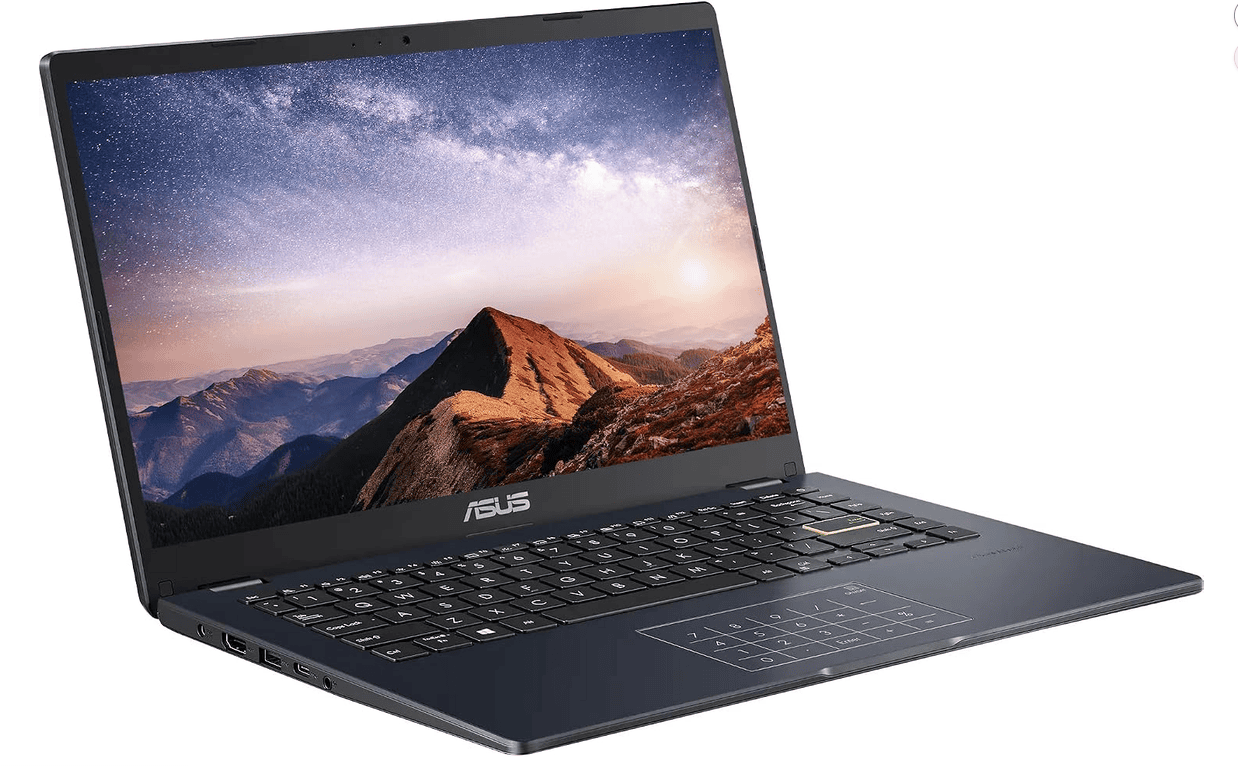
ASUS Vivobook Go 14″
How Does The ASUS Vivobook Go Compare To Other Day Trading Laptops?
The ASUS Vivobook Go is designed primarily for everyday computing, including browsing the internet, completing school assignments, and performing basic office tasks.
For those activities, its modest hardware may be sufficient.
However, day trading introduces additional computing demands, particularly when traders need to monitor real-time price charts, analyze technical indicators, manage multiple charts, and execute orders through their brokerage platform.

Intel Celeron N4500 Processor: Not Powerful Enough for Demanding Trading Software
The ASUS Vivobook Go includes an Intel Celeron N4500 processor with two cores, two threads, a 1.1 GHz base frequency, and a maximum burst frequency of 2.8 GHz.
Although this processor can perform basic computing tasks, it is significantly less capable than the Intel Core i5 processor that Interactive Brokers specifies as the minimum for Trader Workstation.
The difference matters because active traders frequently perform several tasks simultaneously, including monitoring live market data, operating technical indicators, switching between charts, and managing brokerage windows.
In our own post-earnings momentum research, for example, we regularly analyze hourly and four-hour stock charts while monitoring earnings announcements, volume, and other technical variables.
A full-scale desktop computer or day trading laptop with a modern multicore processor is better suited to handling these simultaneous workloads.
While the Celeron N4500 may support simpler browser-based trading activities, we would not choose it as the primary processor for a dedicated day trading workstation.
4GB DDR4 RAM: Below Interactive Brokers’ Minimum Requirements
Perhaps the ASUS Vivobook Go‘s greatest limitation is its 4GB DDR4 system memory.
According to Interactive Brokers, the minimum recommended hardware configuration for running TWS includes 8GB RAM, while 16GB is recommended for better performance.
IBKR Minimum
IBKR Recommended
RAM is important because it allows your computer to maintain active programs, browser tabs, and other processes in memory without constantly relying on slower storage.
For day traders, insufficient memory can contribute to sluggish multitasking, delays when switching between applications, and reduced responsiveness under demanding workloads.
Although these symptoms are not guaranteed, the hardware specifications alone provide a compelling reason to avoid this configuration for TWS-based trading.
For a better day trading laptop computer, we generally recommend starting with at least 16GB RAM, with 32GB worth considering for particularly demanding setups with multiple monitors.
640GB Storage: Adequate Capacity, but It Doesn’t Solve the Performance Problem
Unlike its processor and system memory, the ASUS Vivobook Go‘s advertised storage capacity is relatively generous for an entry-level computer.
The 14-inch configuration includes 128GB eMMC storage and an additional 512GB SSD, providing 640GB of combined advertised storage capacity.
This offers plenty of storage space for documents, downloaded trading software, spreadsheets, screenshots, and historical trading records.
However, eMMC storage generally provides lower performance than modern NVMe solid-state drives.
More importantly, having additional storage capacity does not compensate for insufficient RAM or limited processing power.
For day trading, we would generally prioritize a laptop computer with at least 16GB RAM and a modern processor over one advertising a particularly large amount of storage.
A 512GB SSD is usually a reasonable starting point for a trading laptop computer, although storage requirements will vary depending on the software and data being used.
14-Inch Full HD Display: Functional but Limited for Technical Analysis
The ASUS Vivobook Go features a 14-inch Full HD display with a resolution of 1920 × 1080 pixels.
The resolution is perfectly reasonable for ordinary laptop use and can accommodate basic stock charts, watchlists, and browser-based trading applications.
However, the relatively small display can be restrictive when traders attempt to arrange multiple charts, order-entry windows, and market data panels simultaneously.
For example, traders using multiple time frames may want to monitor hourly, four-hour, and daily charts alongside their watchlists and brokerage platform.
Interactive Brokers currently lists a 2K display resolution as its minimum screen specification for Trader Workstation, with 4K recommended. Its terminology differs from standard consumer laptop labels, but the Vivobook’s Full HD panel is below a typical 2560 × 1440 display.
That being said, the laptop does include HDMI connectivity, potentially allowing traders to connect an external monitor. However, an additional monitor would not address its underlying processor and RAM limitations.
Windows 11 Home and Connectivity: Suitable Operating System, Limited Hardware
One advantage of the ASUS Vivobook Go is its Windows 11 Home operating system. Windows 11 is supported by many modern desktop brokerage applications, including Interactive Brokers Trader Workstation.
The laptop also advertises several useful connectivity options, including USB-C, USB-A, HDMI 1.4, Wi-Fi 5, and Bluetooth 5.0.
These features can support external accessories such as a mouse, keyboard, or monitor, potentially making the laptop more convenient for general productivity.
However, operating system compatibility should not be confused with meeting a trading platform’s complete system requirements.
Even though the ASUS Vivobook Go runs a compatible version of Windows, its processor and RAM remain below Interactive Brokers’ published minimum specifications.
Should You Buy the ASUS Vivobook Go for Day Trading?
No, we do not recommend the ASUS Vivobook Go for day trading.
Its Intel Celeron N4500 processor and 4GB RAM fall below Interactive Brokers’ minimum requirements of an Intel Core i5 and 8GB RAM. Although affordable, this laptop is better suited for basic computing than demanding trading platforms.
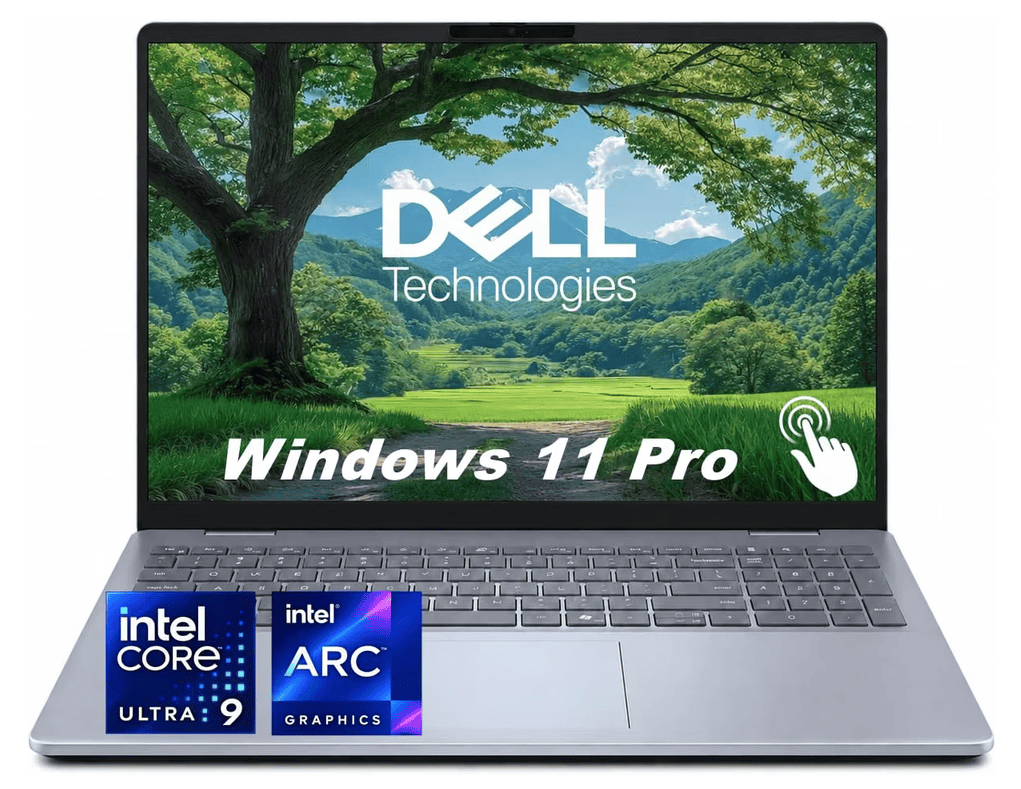
Instead, we recommend the Dell 16 Plus laptop, which offers a more capable processor, greater memory capacity, and a larger 16-inch display for monitoring stock charts, technical indicators, and brokerage applications.
While laptops can be excellent for day trading, choosing one that meets your broker’s system requirements is essential.
For traders building a permanent home setup, we also recommend considering a dedicated desktop workstation or a more versatile laptop that’s capable of meeting broker requirements, and powering multiple monitors at the same time.
With 32GB of RAM, a 1TB SSD, Thunderbolt 4, DisplayPort over USB-C and HDMI 2.1, the Dell 16 Plus can work as both your portable trading computer and the centerpiece of a multi-monitor docking station.
Frequently Asked Questions – Day Trading Laptops
Is the ASUS Vivobook Go a Good Laptop?
The ASUS Vivobook Go can be a practical budget laptop for general computing activities, including internet browsing, school assignments, and basic office applications. However, the 4GB RAM and Intel Celeron N4500 configuration reviewed here is not well suited to demanding professional applications. Its suitability depends on how you intend to use it, and more powerful Vivobook configurations may offer substantially better performance.
Can You Run Interactive Brokers on the ASUS Vivobook Go?
The ASUS Vivobook Go reviewed here does not meet Interactive Brokers Trader Workstation’s published minimum hardware requirements. It includes 4GB RAM and an Intel Celeron N4500 processor, compared with IBKR’s minimum of 8GB RAM and an Intel Core i5 processor. Although the application might technically install or launch, that would not establish acceptable performance, and we would not recommend relying on this configuration for active trading.
Can the ASUS Vivobook Go Run TradingView?
The ASUS Vivobook Go may be capable of running TradingView through a supported web browser, particularly when viewing basic charts with relatively few indicators. However, its 4GB RAM and entry-level processor may limit performance when several charts, browser tabs, and other applications are open simultaneously. Browser-based charting is generally less demanding than a complex desktop brokerage workstation, but actual performance has not been tested for this review.
Is 4GB RAM Enough for Day Trading?
We generally do not recommend 4GB RAM for a modern day trading computer. Interactive Brokers specifies 8GB RAM as the minimum for Trader Workstation and recommends 16GB. Although 4GB may support lightweight browser-based financial applications, it provides limited headroom for multitasking, multiple charts, market data, and other active applications.
How Much RAM Do You Need for Day Trading?
We recommend at least 16GB RAM when purchasing a new laptop or desktop for day trading, particularly for users who operate several applications simultaneously. Traders using demanding charting software, numerous windows, or large datasets may benefit from 32GB RAM. The most appropriate amount ultimately depends on the requirements of your brokerage platform and trading workflow.
What Processor Is Best for Day Trading?
A modern Intel Core i5 or AMD Ryzen 5 processor is a reasonable starting point for many day trading computers, although brokerage-specific requirements should always take priority. Interactive Brokers currently lists an Intel Core i5 as its minimum processor requirement for TWS and recommends an Intel Core i7 or better. Traders using multiple resource-intensive applications may benefit from higher-performance processors.
Can You Day Trade on a Cheap Laptop?
Yes, some inexpensive laptops can support day trading, provided they meet the requirements of the brokerage and charting software being used. However, low-priced computers featuring entry-level processors and just 4GB RAM may struggle with demanding applications. Instead of choosing a laptop based on price alone, compare its processor, RAM, storage, display connectivity, and operating system against your brokerage’s published specifications.
Is a Desktop or Laptop Better for Day Trading?
Both desktops and laptops can be suitable for day trading. Laptops provide portability, while desktop computers often offer greater flexibility for processor performance, cooling, memory upgrades, and multiple-monitor configurations at comparable prices. For new traders building a permanent home trading station, we generally prefer a capable desktop computer with at least 16GB RAM and an SSD.
Do You Need Multiple Monitors for Day Trading?
No, multiple monitors are not required for day trading. Many traders can operate successfully using a single laptop or desktop display, especially when following a relatively simple strategy. However, additional monitors can make it easier to view several charts, watchlists, market data panels, and order-entry windows simultaneously. The benefit depends on your workflow rather than the number of monitors alone.


Leave a Reply