

In this guide, you’ll learn how to build a practical 2- to 3-monitor day trading setup, which 24- to 27-inch screen sizes make the most sense, and what you should expect to spend. We’ll compare budget setups starting around $190–$350, higher-end configurations in the $600–$1,000+ range, and alternatives like a 34-inch ultrawide monitor. You’ll also see how I personally organize my screens for post-earnings momentum trading, plus a few monitor and monitor-arm options worth considering if you’re upgrading your desk.

It’s tempting for new traders to feel like they want a 10-monitor trading desk setup.
But you do NOT likely need that many monitors or a Wall Street-style command centre to build an effective day trading setup.
In fact, for most traders, 2 to 3 monitors between 24 and 27 inches provide enough space for charts, scanners, news, order entry, and research without overwhelming your desk.
While monitor arms, screen, and desk accessories vary in cost, a practical dual-monitor setup can cost around $300–$500, while a more premium three-monitor setup with 27-inch 1440p screens and adjustable monitor arms can run $600–$1,000+.
In my opinion, the sweet spot is usually two 27-inch 1440p monitors, especially if you mount them on gas-spring arms to free up desk space and improve positioning.
In this guide, I’ll show you how to arrange multiple monitors for day trading, which screen sizes and desk layouts work best, what you should expect to spend, and a few Amazon monitor and monitor-arm options worth considering if you’re building or upgrading your trading setup.
Quick Answer: How to set up multiple monitors for day trading?
To set up multiple monitors for your day trading setup, start with 2 to 3 monitors between 24 and 27 inches, connect them through your computer’s HDMI, DisplayPort, USB-C, or docking station, and mount them on an adjustable dual or triple monitor arm. A practical 2-monitor setup can cost about $300–$500, while a higher-quality 3-monitor setup may cost $600–$1,000+ depending on screen resolution and mounting hardware. For most traders, dual 27-inch 1440p monitors offer the best balance of screen space, clarity, and cost.

How Many Monitors Do You Need for Day Trading?
I think the sweet spot for most traders is two or three monitors. A simple setup might look like this:
- Monitor 1: Primary charts and trade execution
- Monitor 2: Watchlists, scanners, news, and secondary charts
- Monitor 3: Research, additional timeframes, earnings data, or market indexes
Depending on your online broker and the type of charts you watch, you might need or want more screen space. But more screens is not necessarily better for day trading.
Four or more monitors can work, but there’s a point where extra screens create more distraction than useful information.
Personally, I’d rather have two good 27-inch monitors than six massive screens filled with dozens of charts I barely look at.
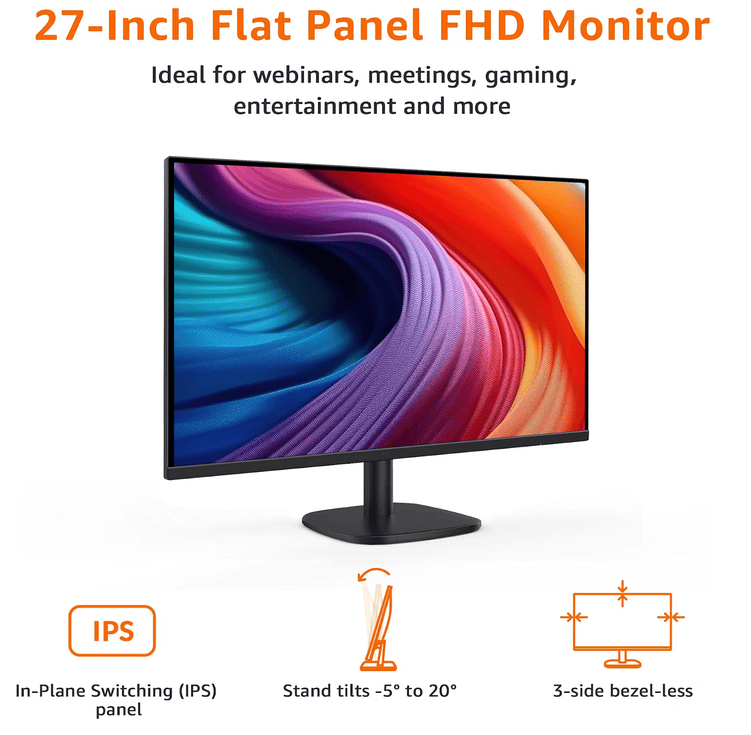
Amazon Basics 27-Inch Flat-Panel Monitor
A practical option for building an affordable multi-monitor trading desk. At 27 inches, it provides plenty of room for charts, watchlists, scanners, news, or broker software without requiring an enormous desk.
✓ Budget-friendly at around $178 per screen
✓ Two monitors cost about $356
✓ Three monitors cost about $534
What Monitor Size Is Best for Day Trading?
For a multi-monitor day trading setup, I’d concentrate on three sizes.
24-Inch Monitors: Best Budget Option
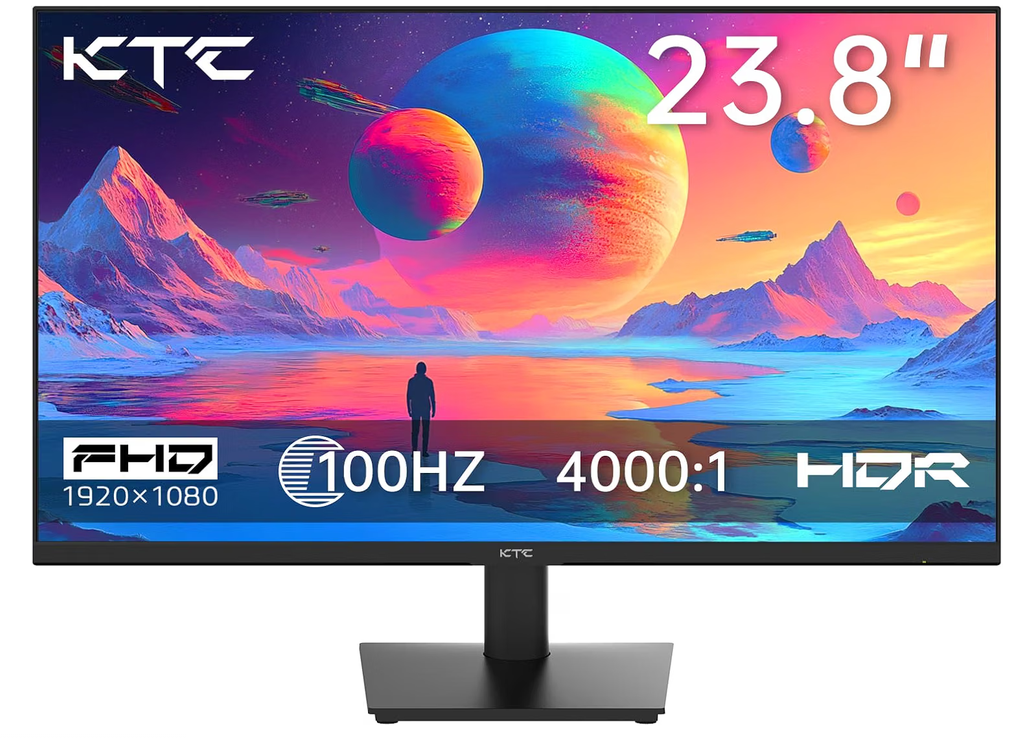
KTC 24-Inch 1080p 100Hz Monitor
If you want to build a multi-monitor trading setup without spending hundreds of dollars per screen, this 24-inch KTC monitor is an affordable option. Its 1080p resolution provides plenty of room for charts, scanners and watchlists, while the 100Hz refresh rate keeps movement looking smooth.
✓ 1080p resolution
✓ 100Hz refresh rate
✓ Dual-monitor setup: about $190 USD
✓ Triple-monitor setup: about $285 USD
A 24-inch 1080p monitor is inexpensive, doesn’t take up much desk space, and works extremely well in a two or three-monitor configuration.
Something like the KTC 24-inch 1080p 100Hz monitor is more than sufficient for displaying TradingView charts, scanners, broker software, and news feeds.
You don’t need an expensive gaming monitor just to watch candlesticks.
27-Inch 1440p: My Preferred Size
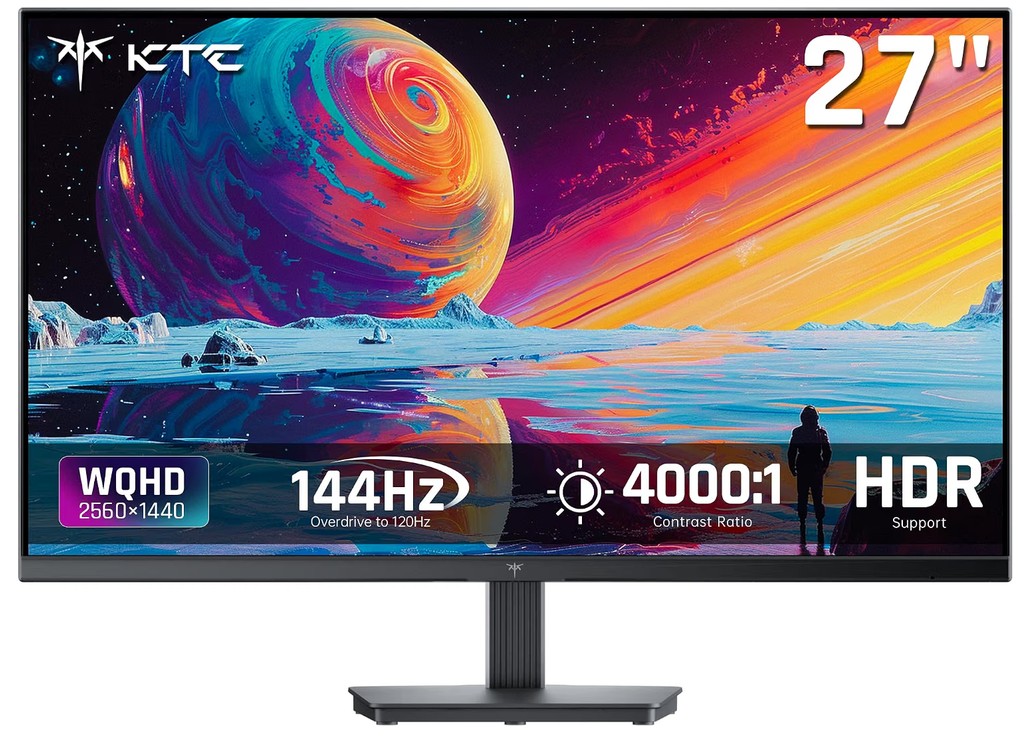
Recommended Multi-Monitor Trading Setup Product
At around $145 USD, this is a solid mid-range option for traders building a practical multi-monitor workstation. It fits nicely between ultra-budget gear and more expensive premium setups, making it a good choice if you want better flexibility without spending several hundred dollars.
✓ Designed for a cleaner multi-monitor trading desk
✓ Useful for charts, scanners, watchlists and order entry
✓ Good balance between budget and premium setups
If your budget allows it, I’d step up to 27 inches with a 2560 × 1440 resolution.
The additional resolution matters almost as much as the extra physical size. You can fit considerably more chart information onto the screen without everything becoming microscopic.
A monitor like the KTC 27-inch QHD monitor gives you that extra workspace while remaining reasonably affordable.
For a permanent trading desk, dual 27-inch 1440p monitors would probably be my first choice.
34-Inch Ultrawide: An Alternative to Multiple Monitors
Multiple screens is one idea. But there’s another option, too.

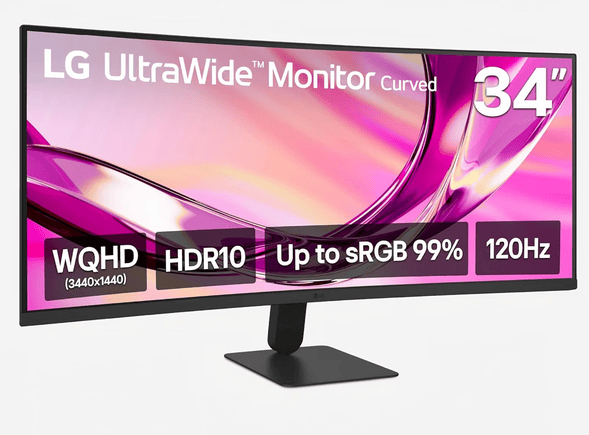
LG 34U60ZB-B 34-Inch UltraWide Curved Monitor
If you prefer one large screen instead of several smaller monitors, this 34-inch LG UltraWide is a strong option. Its wide WQHD display gives you enough horizontal space to keep multiple charts, scanners, watchlists and trading platforms open side by side without constantly switching windows.
✓ WQHD resolution for more chart space
✓ Smooth 120Hz refresh rate
✓ 1800R curved screen for a more immersive desk setup
✓ HDR10 support
✓ Great alternative to a dual-monitor setup
Instead of buying three separate screens, you could use a 34-inch ultrawide monitor as your main display and add one secondary monitor beside it.
For example, LG’s 34-inch UltraWide models offer a 3440 × 1440 resolution and 21:9 aspect ratio, which gives you enough horizontal space to display several charts or applications simultaneously.
That can create a much cleaner trading station than four separate monitors.
Use Monitor Arms Instead of the Factory Stands
This is probably the easiest upgrade you can make. Get the monitors off your desk.
Monitor arms free up desk space and allow you to independently adjust the height, tilt, rotation, and distance of each display.
For two monitors, there are plenty of inexpensive options.
The Amazon Basics Gas Spring Dual Monitor Arm supports two displays and gives each screen its own adjustable arm.
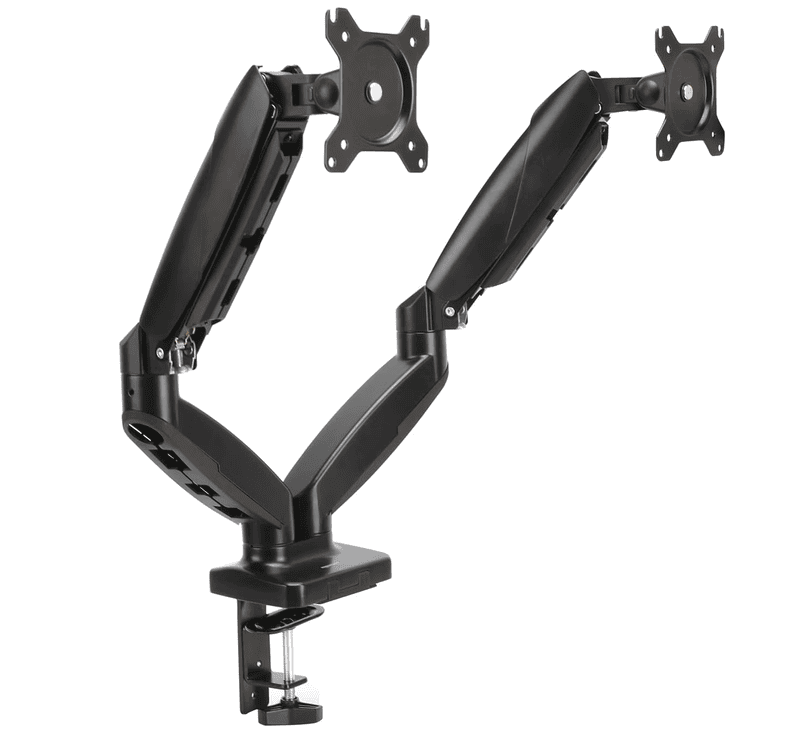
Amazon Basics Gas Spring Dual Monitor Arm
A dual monitor arm is one of the easiest ways to make a trading desk feel cleaner and more functional. This Amazon Basics gas-spring arm gets two monitors off the desk while giving you more control over screen height, angle and positioning.
✓ Gas-spring arms make repositioning easier
✓ Frees up valuable desk space
✓ Helps align screens at a comfortable eye level
✓ Great match for 24–27 inch trading monitors
✓ Affordable upgrade at about $45 USD
The Acer Dual Monitor Arm is another option designed for monitors between roughly 17 and 32 inches.
But there are literally dozens of makes, models, and configurations of monitor arms you can use to customize your day trading setup.
There are also cheaper fixed-pole designs, like the VIVO Black Pole Mount Monitor Arm for 17in to 32in Screens. But personally, I prefer gas-spring arms because you can reposition your monitors much more easily.
How Should You Arrange Multiple Trading Monitors?
My own setup is built around giving each screen a specific job instead of just filling every monitor with charts.

On the left monitor, I usually keep around 8 to 10 smaller chart thumbnails open at once.
I use these to scan for stocks making large post-earnings momentum moves, so I can quickly see which setups are actually doing something interesting without constantly switching tabs.
My larger middle screen is the main trading screen.

That is where I check multiple timeframes at the same time, zoom in on the setup, and handle order entry and exits.
Then I have a third screen on the right, which is actually a separate all-in-one computer.
I mostly use that third screen for additional research, pulling up earnings information, or, occasionally, keeping my toddler entertained while I work.
Build a Trading Setup That Works for You
A good multi-monitor setup should make trading simpler, not noisier.
Whether you start with two affordable 24-inch screens or build out a larger three-monitor desk, the goal is the same: keep the information you actually use visible, organized, and easy to act on.
If you’re still building out your trading setup, you can also check out more of our trading book reviews, gear recommendations, and original trading research here on Paper Trading Journal.
There’s plenty more to explore if you want to improve both your desk and your process.


If you want to go deeper:
- Explore the Trading Statistics Hub to understand how different sectors behave across market cycles
- Study real setups inside the Trade Reviews section
- Learn the framework behind high-probability setups in the Post-Earnings Momentum Strategy
This is how you turn raw market data into repeatable trading edge.


Leave a Reply